


Key features:
Shopify subscriptions allow store owners to convert one-time purchases into recurring revenue, offering customers a convenient, hassle-free way to receive products automatically. By using subscription apps like Appstle, Seal, and Kaching, merchants can easily set up flexible billing, manage renewals, and provide self-service options for customers. Popular subscription models include Pay-As-You-Go, Prepaid, Subscribe & Save, Subscription Boxes, and Hybrid options. Setting up subscriptions helps automate recurring payments, simplify inventory management, and improve the overall customer experience. Ultimately, Shopify subscriptions boost predictable revenue, increase customer retention, and streamline store operations.
Imagine your customers receiving the products they love automatically without reordering every time. Shopify subscriptions make this possible by turning one-time purchases into a convenient recurring experience, helping businesses earn predictable revenue while customers enjoy effortless shopping.
According to reports, subscription commerce is growing fast, with the global subscription eCommerce market surpassing $536 billion, while the overall B2C eCommerce market is projected to reach $5.5 trillion by 2027. This shift highlights why many store owners are now learning how to set up Shopify subscriptions to build stable recurring income.
In this Shopify subscriptions setup guide, you’ll learn how subscriptions work and how to launch them step by step.
But first, if you’re new to Shopify, check out our How to Build a Shopify Store: Step-by-Step Guide for Beginners to set up your store first.
Now, let’s know about Shopify Subscriptions. Shopify subscriptions help businesses sell products through a recurring purchase system instead of relying only on one-time purchases. Store owners can set up subscription options that automatically send products to customers at chosen intervals, such as weekly, monthly, or yearly, with payments handled automatically.
Using Shopify selling plans subscriptions, businesses define billing frequency, pricing rules, and renewal behavior while customers enjoy a hassle-free way to receive items regularly without reordering.
You can also explore the Shopify Payment Gateway to choose the best option for your store.
Here’s how shopify recurring payment setup works:
This automation allows store owners to enable subscriptions in a Shopify store without manual billing every cycle.
Choose products that customers buy regularly, such as consumables, refills, or essentials.
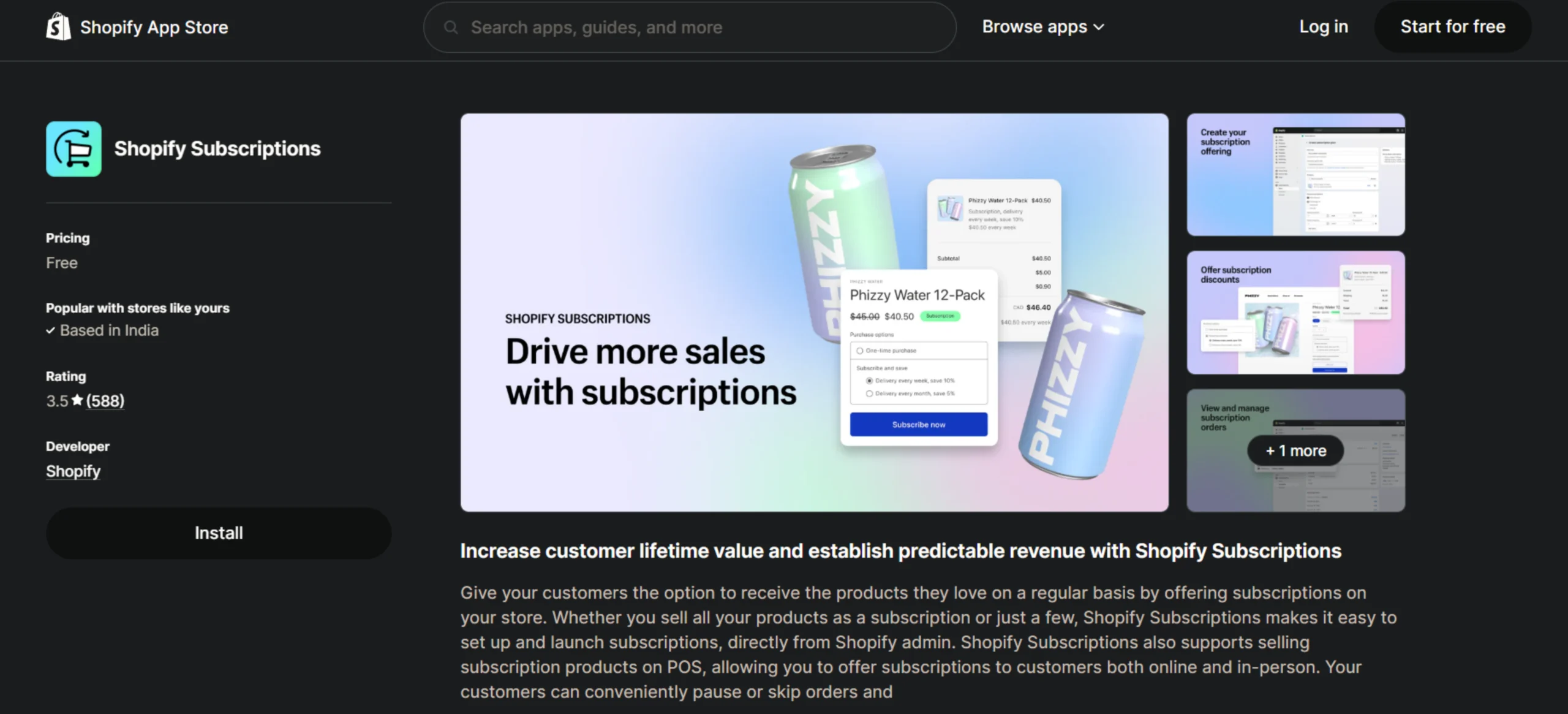
Subscriptions are managed through apps that handle billing and renewals.
You can start with the Shopify subscriptions free app, or explore some of the best Shopify subscription apps in 2026 for beginners.
The app you select will influence flexibility, scalability, and the overall customer experience.
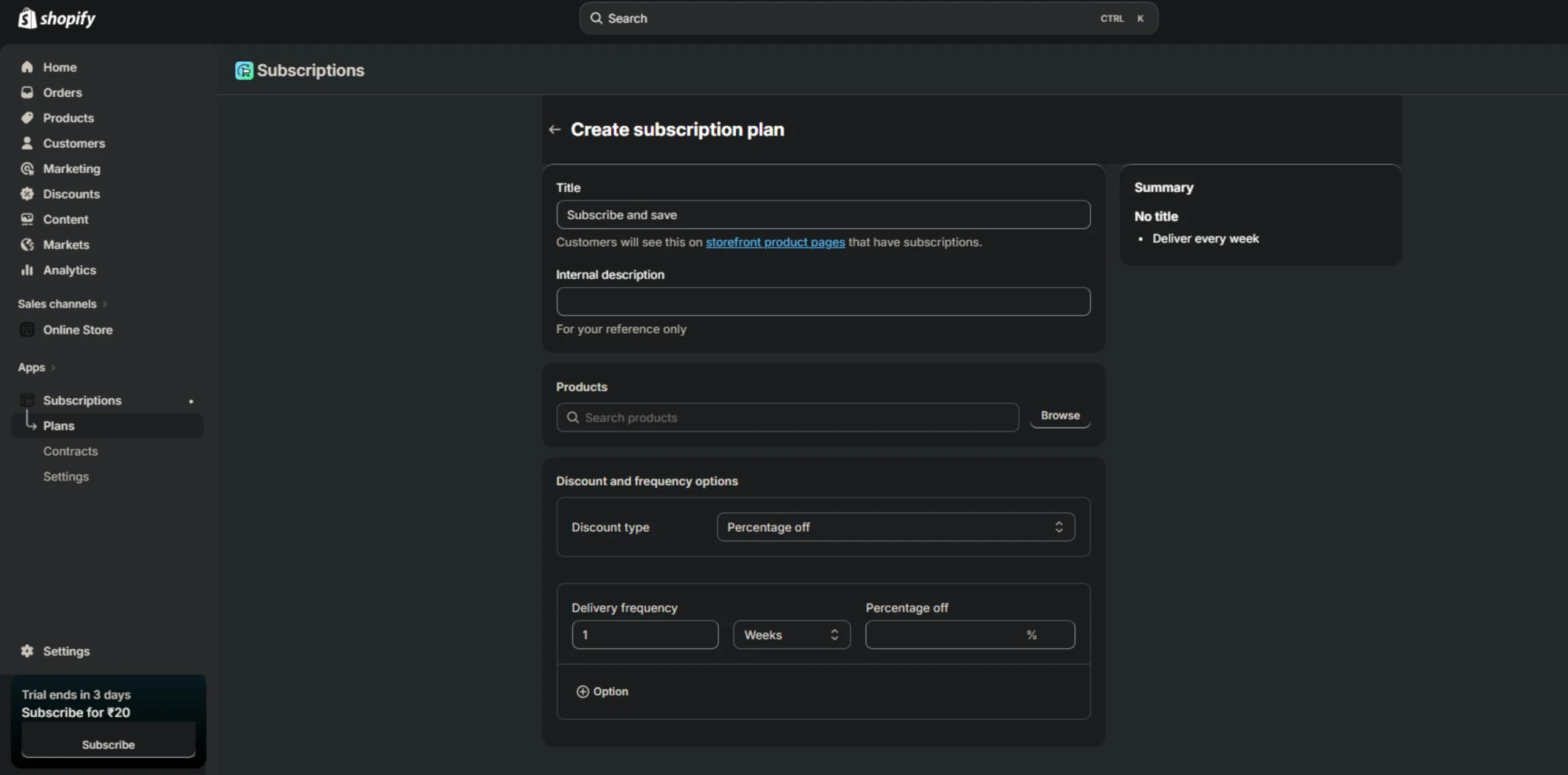
Set up your subscription structure by defining how the plan will work:
Add a plan title visible to customers
This step determines how the subscription offer is presented and managed.
Attach subscription plans to relevant products so shoppers can select either a one-time purchase or a subscription directly from the product page.
You can also personalize the Shopify subscription widget setup so it fits seamlessly with your store’s design and theme.
Enable customer accounts so subscribers can:
Self-service improves retention and reduces support workload.
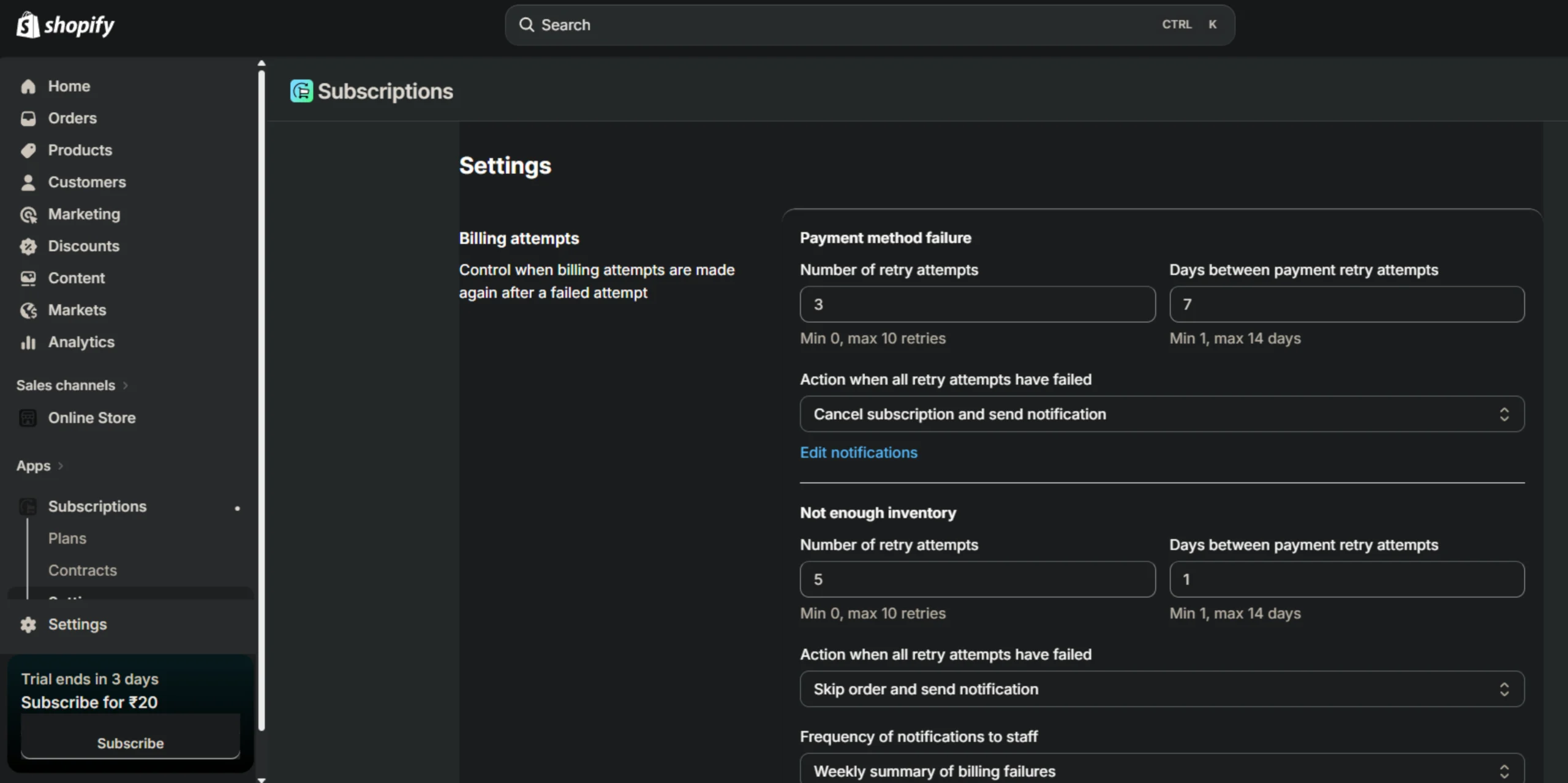
Optimize operational settings:
These steps ensure smooth automation
Link your payment gateway and ensure recurring payments are activated so that automatic billing runs smoothly.
Before launching, review the full customer journey. Check product pages, checkout flow, renewal behavior, confirmation emails, and subscription management access to ensure everything works correctly.
Once testing is complete, make subscriptions live on your store. Monitor recurring orders, track performance, and continue optimizing the experience based on customer behavior.
These apps are highly rated and beginner-friendly:
Choosing the right app is critical when evaluating Shopify subscription apps for beginners.
We supported Katkare Animal Food by revamping their Shopify store and integrating a subscription system. This resulted in increased recurring revenue, simplified subscription management for customers, automated billing and inventory handling, and enhanced customer loyalty through a seamless and convenient shopping experience.
Knowing how to set up Shopify subscriptions can turn one-time sales into steady revenue, boost customer retention, and simplify store management.
If you need support setting up your Shopify store or subscriptions, you can book a free consultation and work with a Shopify expert to launch everything smoothly and efficiently.
Question: Will subscriptions work for every product?
Answer: Not always. They work best for items that customers use regularly. Seasonal or one-time products may not suit subscriptions.
Question: Can I offer both one-time purchases and subscriptions?
Answer: Yes. Shopify subscriptions have a feature that lets customers choose between a single purchase and a subscription on the same product page.
Question: Will subscriptions affect inventory management?
Answer: Yes. Recurring orders make it easier to forecast demand and manage stock.
Question: How do I choose the right subscription frequency?
Answer: Set intervals based on how fast customers use your product. Try monthly or bi-monthly options to see what works best.






Finding the best Shopify agency in the USA can feel overwhelming. There are hundreds of Shopify agencies claiming to be “the best,” but only a handful actually have the experience, technical depth, and client results to back it up.

This guide will show you exactly what agentic ecommerce is, how AI platforms like ChatGPT, Google AI Mode, and Perplexity decide which products to recommend — and what you need to do so your Shopify store shows up in those conversations.

Jewellery shoppers judge a brand by its presentation first. A clean, premium Shopify store can instantly build trust, highlight craftsmanship, and improve conversions across mobile and desktop.