



Opportunities and pipelines are the heart of sales and service tracking in Go High Level (GHL). Whether you are a digital agency, real estate team, coach, or SaaS reseller, organizing your leads inside a pipeline can transform chaos into clarity.
This step-by-step Go high level guide will show you how to set up custom pipelines and start managing your client opportunities more efficiently in GHL.
Why Pipelines & Opportunities Matter in GHL
If you want to explore GoHighLevel beyond pipelines and opportunities, our Complete GoHighLevel guide for marketers and agencies covers everything from automation to client management
Understanding Pipelines vs. Opportunities in GHL
Before we dive into setup, it’s important to understand the structure:
This separation helps you visualize where each contact stands, what actions have occurred, and what needs to happen next.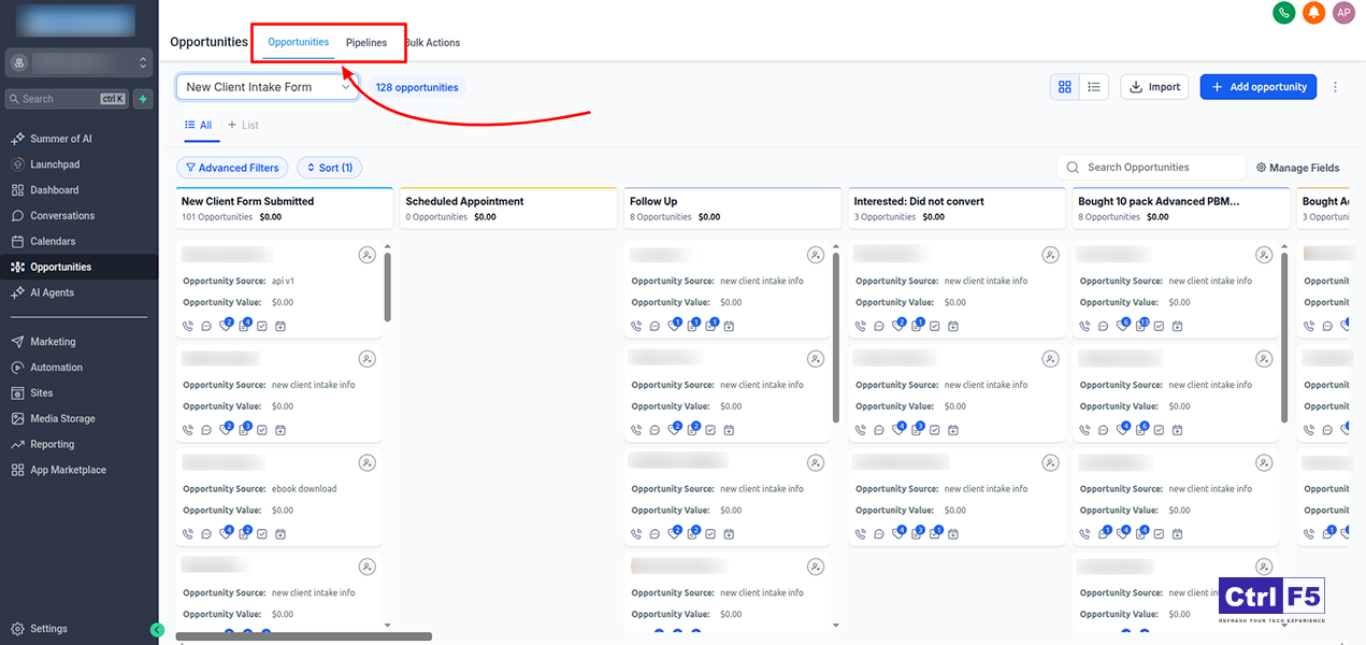
Related Reading: How to Automate Email Sequences in Go High Level (With Templates)
Make sure you are inside the correct client sub-account where the pipeline will be created.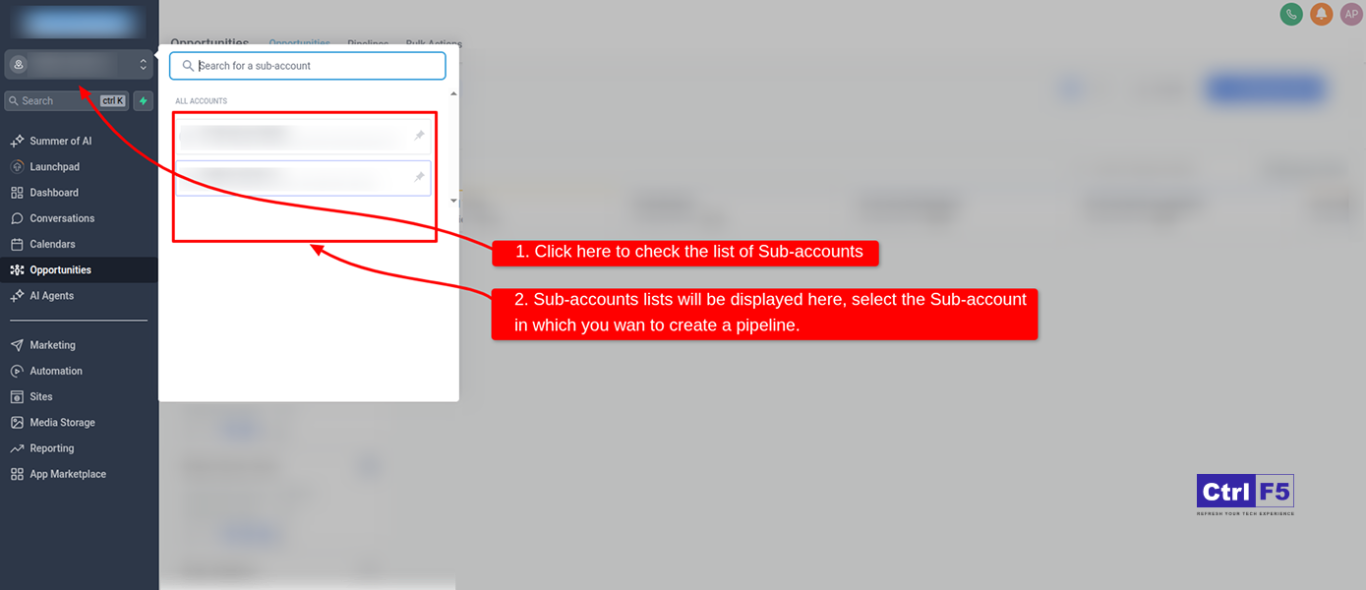
Navigate to Settings from the left-hand menu. Select the Pipelines tab.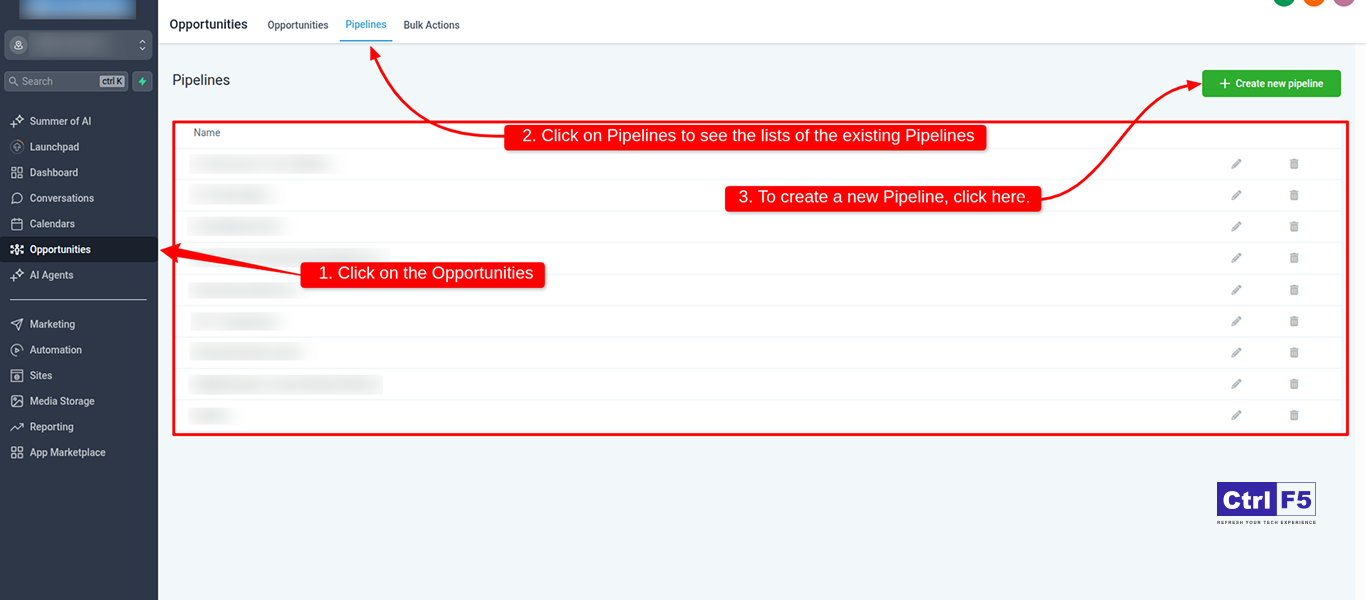
Give your pipeline a name (e.g., “Lead Nurturing Pipeline”, “Sales Funnel”) and select the default status.
Add as many stages as needed. Examples:
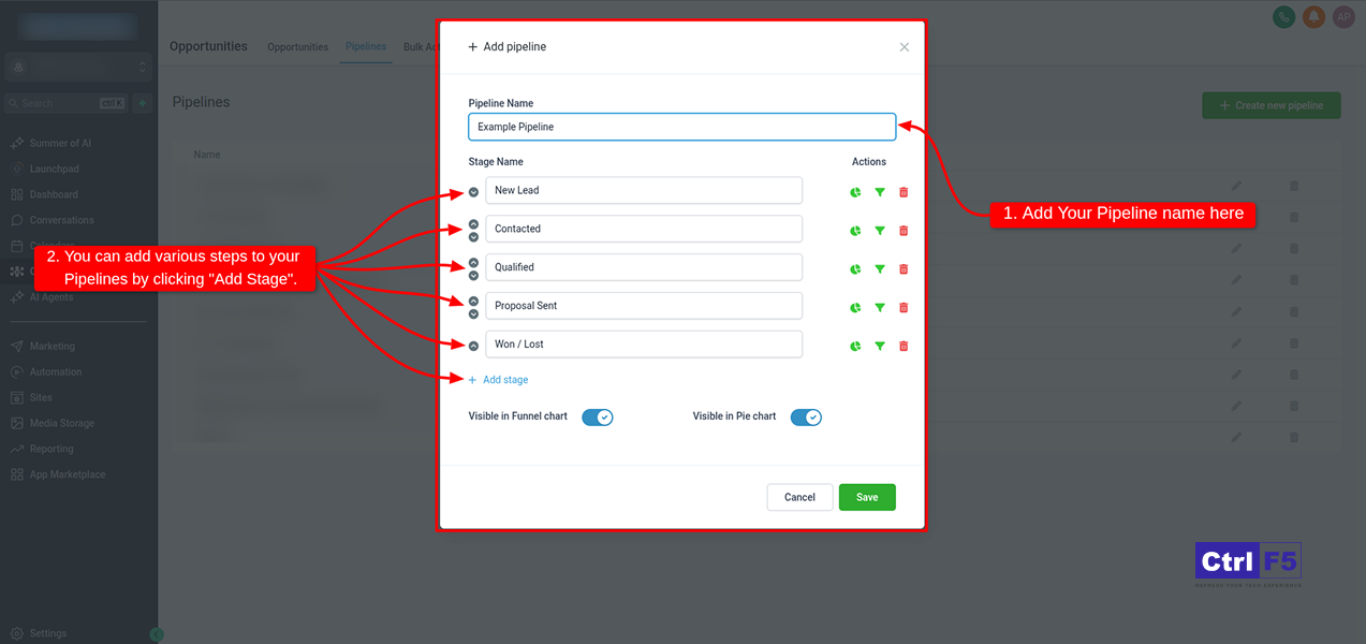
Tips:
Each stage can be connected to automations like:
This helps move deals forward automatically without manual input.
Click Save to make it active. Your team can now drag-and-drop opportunities between stages.
Related Reading: How to Create a Landing Page in Go High Level: Step-by-Step GHL Guide
Navigate to the Opportunities tab in the left-hand sidebar.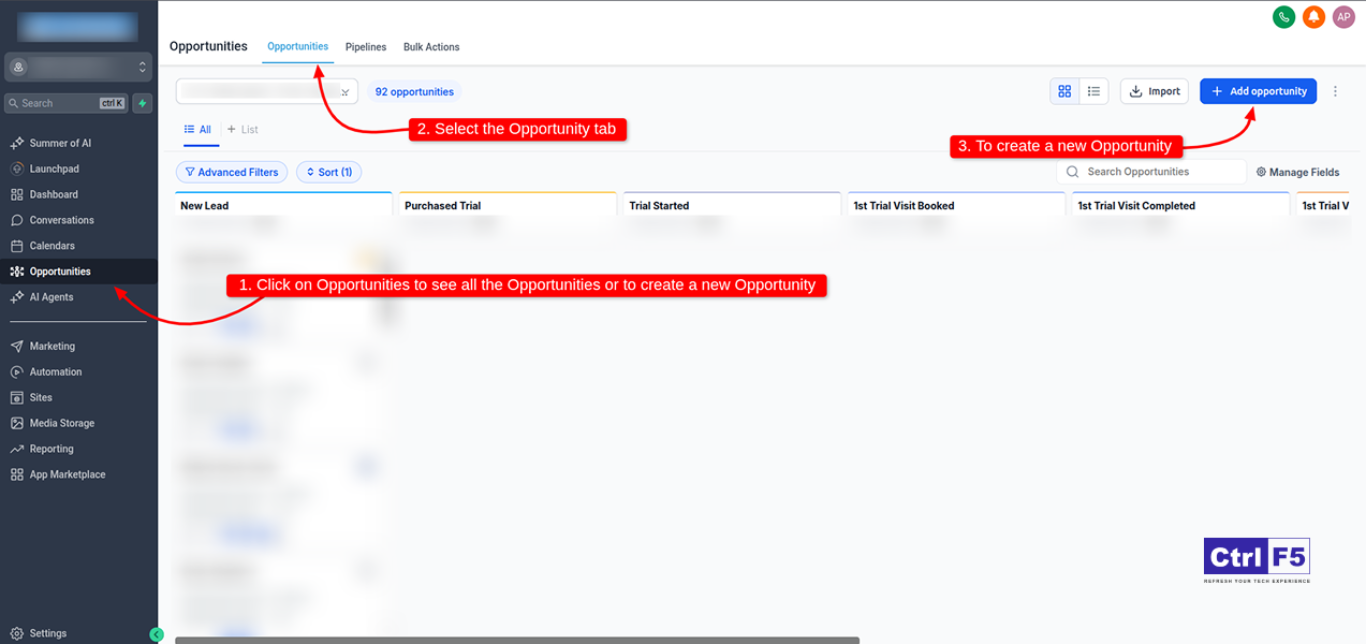
Fill in details:
Contact (link it to a contact already in GHL)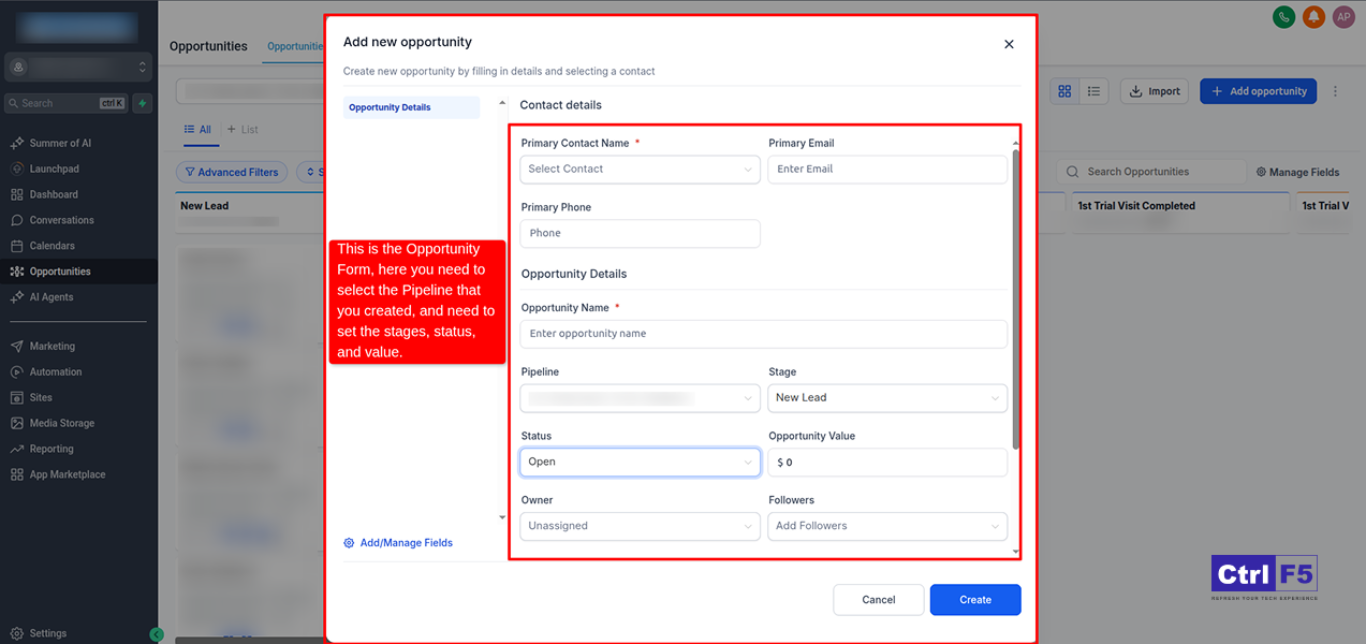
Choose who on your team owns this deal or task. You can also assign tasks.
Once saved, you’ll see the opportunity as a card inside your pipeline view.
Tracking and Reporting Opportunities
Go to Opportunities > Dashboard to:
This is ideal for weekly sales reviews or monthly reporting.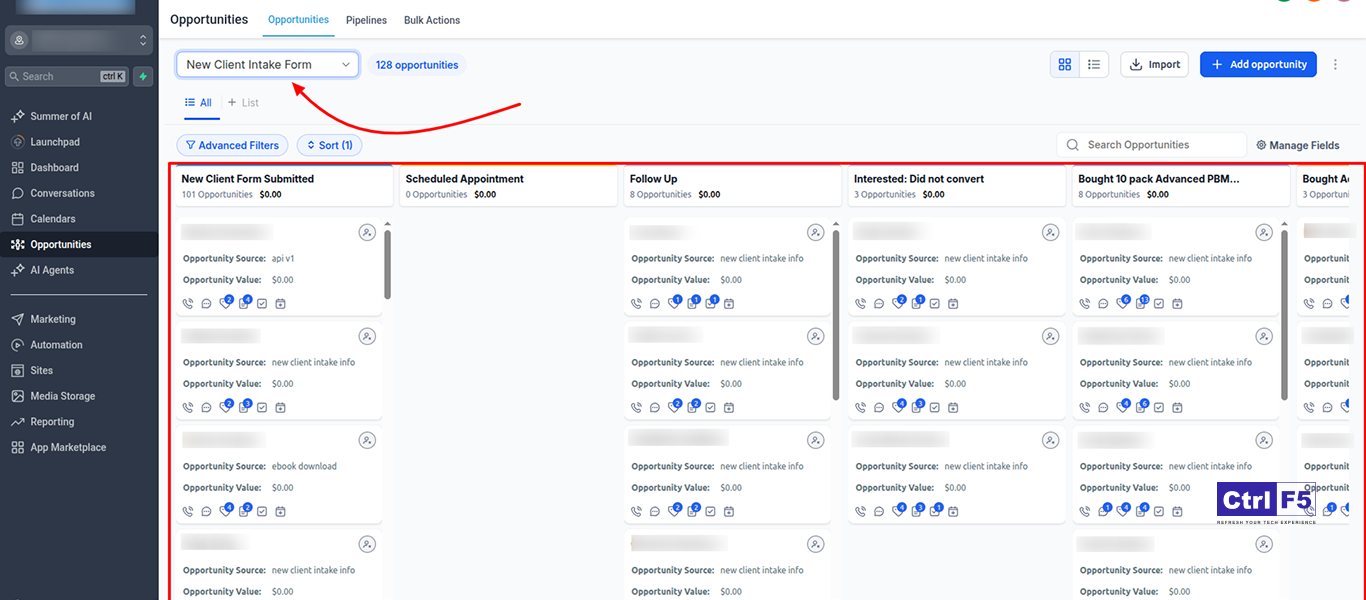
Related Reading: WordPress Hosting Tips When Using GoHighLevel for Marketing Automation
Common Use Cases for GHL Pipelines
From idea to execution, we build a dynamic e-learning platform using GoHighLevel tools.
Check out how it all came together in our case study. Explore the case study
Setting up pipelines and opportunities in GoHighLevel gives you complete visibility and control over your sales process. With its intuitive drag-and-drop interface, smart automation triggers, and centralized lead data, managing your pipeline becomes not only easy but highly effective.
At ControlF5 Go High Level Expert Agency, we help businesses like yours build conversion-focused sales pipelines inside GHL. From designing custom stages to configuring email automations, landing funnels, and CRM workflows, our team ensures every step of your customer journey is mapped for maximum impact.
Ready to automate and optimize your sales process?
Let ControlF5 help you build a smarter pipeline system, one that drives leads, closes deals, and scales effortlessly.
Let us help you build sales systems that close deals faster and more consistently.



GoHighLevel is an all-in-one marketing automation and CRM platform designed to simplify the complex tech stacks used by agencies, freelancers, and businesses.

Hi, I am Anurag Pandey, and I work closely with businesses and agencies to build powerful automation and lead generation systems using GoHighLevel.

If you are an agency owner, SaaS reseller, or freelancer managing clients through Go High Level (GHL), learning how to set up sub-accounts is crucial.