
Introduction
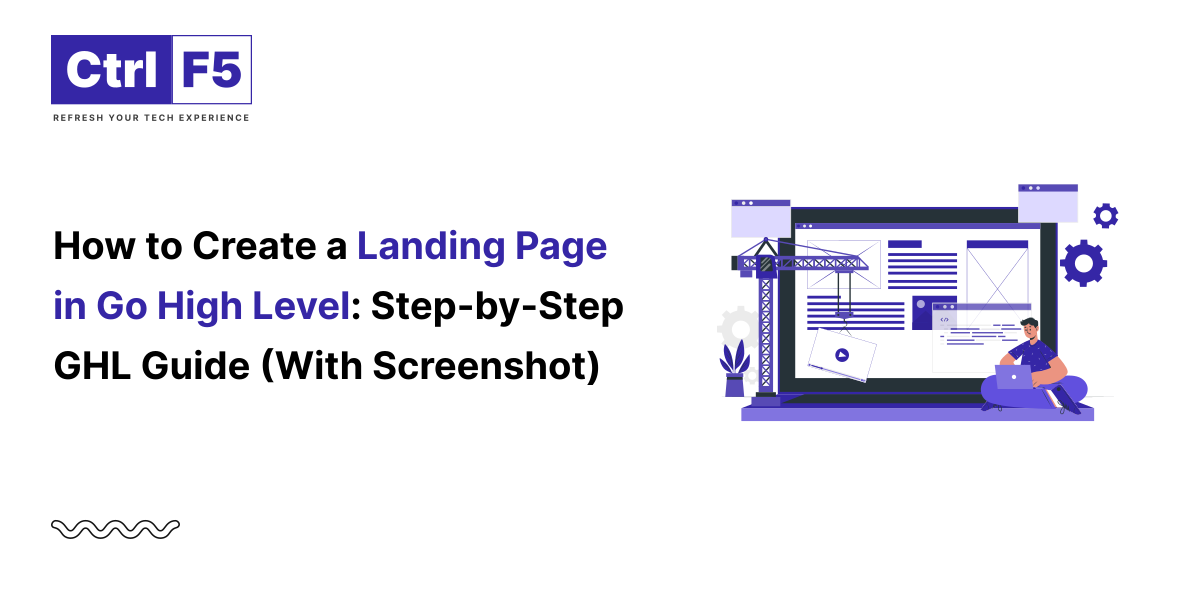
In today’s digital marketing landscape, landing pages are critical for lead generation, product promotion, and sales conversions. If you are using Go High Level (GHL), you already have access to a powerful funnel and landing page builder that simplifies this process.
In this guide, I will walk you through the steps to create a high-converting landing page in GHL and share expert tips to boost performance.
What is Go High Level?
Go High Level is an all-in-one marketing automation platform designed for agencies and small businesses. It features tools for CRM, email marketing, funnels, automation, and yes, a robust drag-and-drop landing page builder.
Before you explore into landing page creation, our Complete GoHighLevel guide for marketers and agencies walks you through every feature the platform offers, from funnels to automation.
Why Use GHL for Landing Pages?
Related Reading: How to Create a Salon & Barber Website with Sales and Marketing Automation
Start by logging into your GHL dashboard.
Click on Sites from the left sidebar, then select Funnels.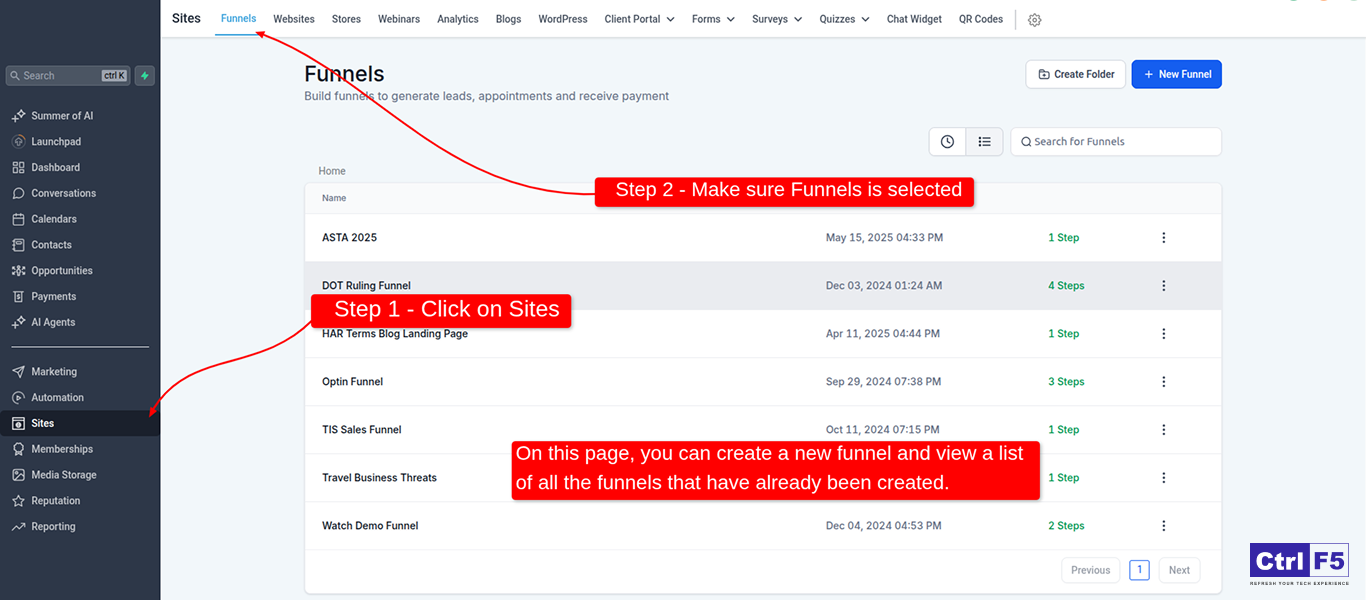
Click on + New Funnel if starting from scratch.
Give it a name (e.g., “Free Ebook Signup”) and hit Create Funnel.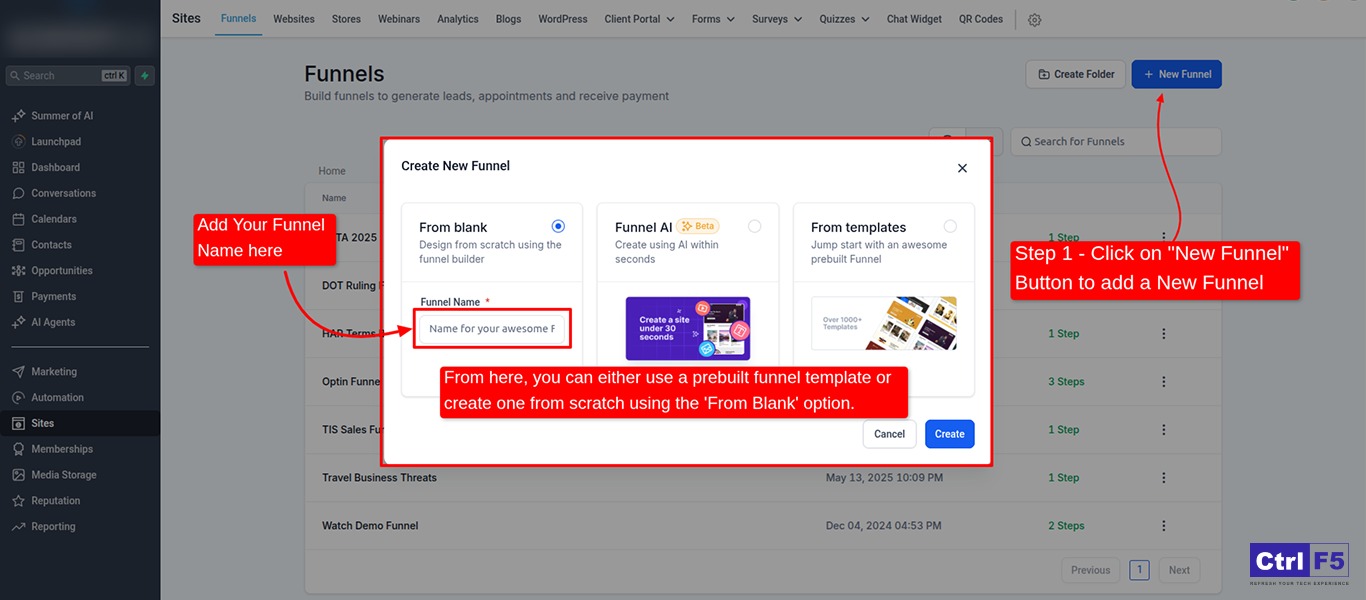
Click Add New Step, name it (like “Landing Page”), and select Page as the step type.
You can then choose Go High level templates free or start with a blank page.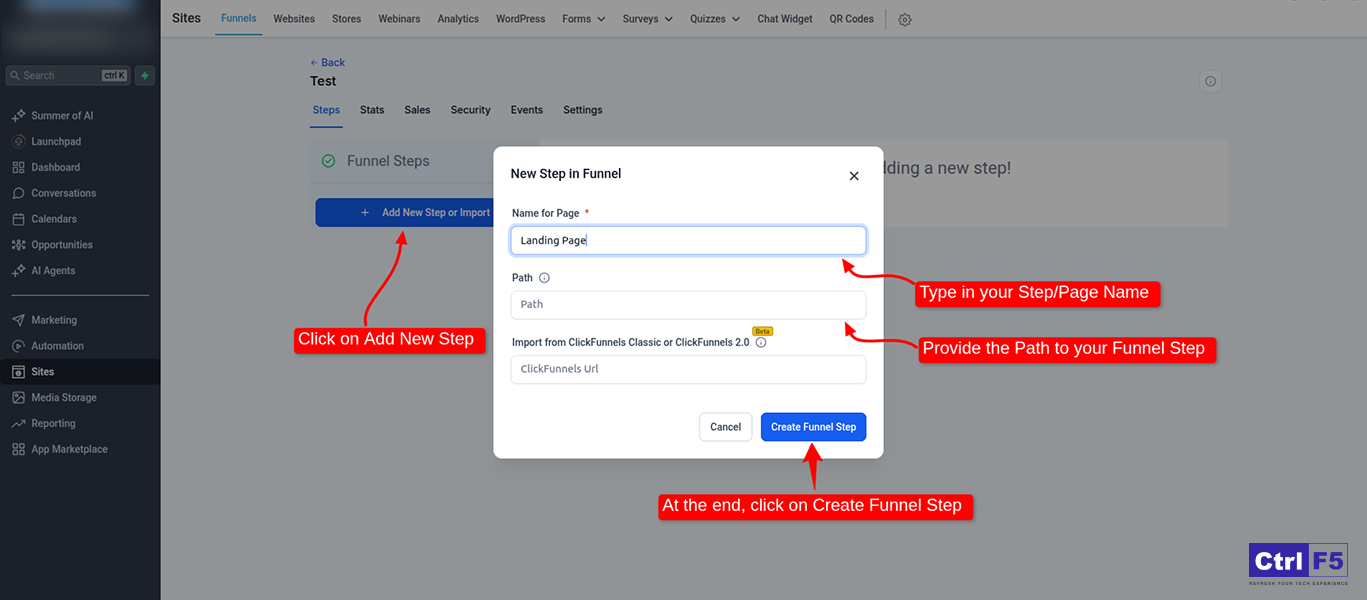
Once your page opens in the editor:
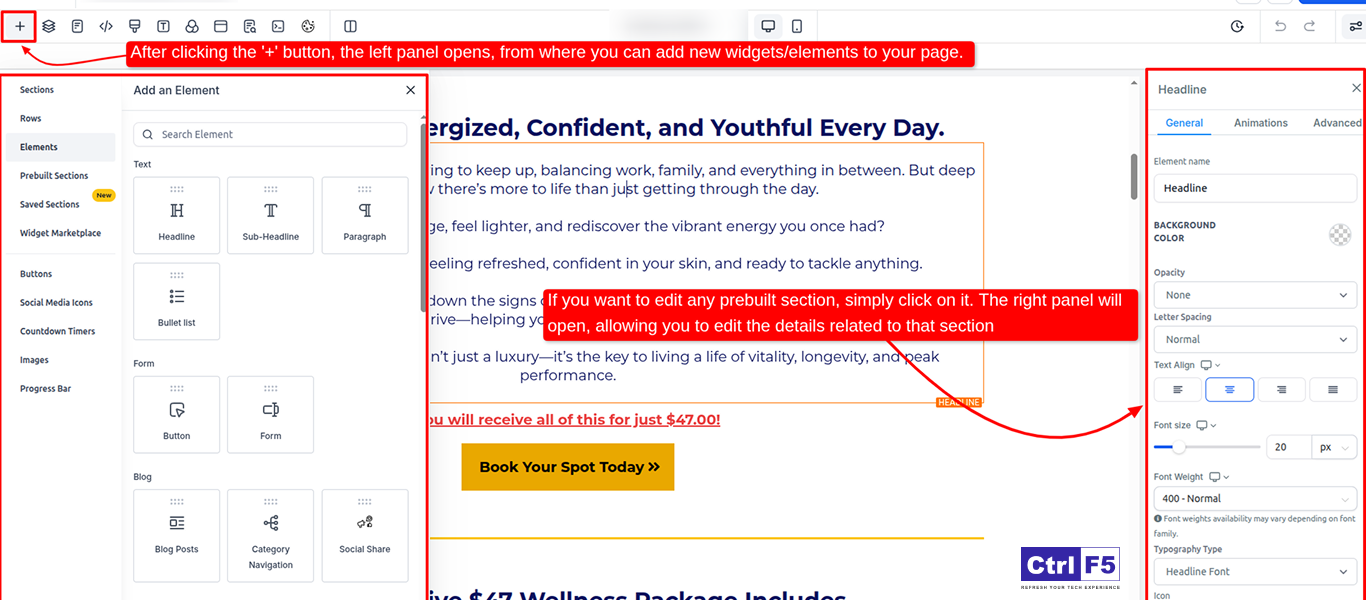
Click on the Settings tab in the editor:
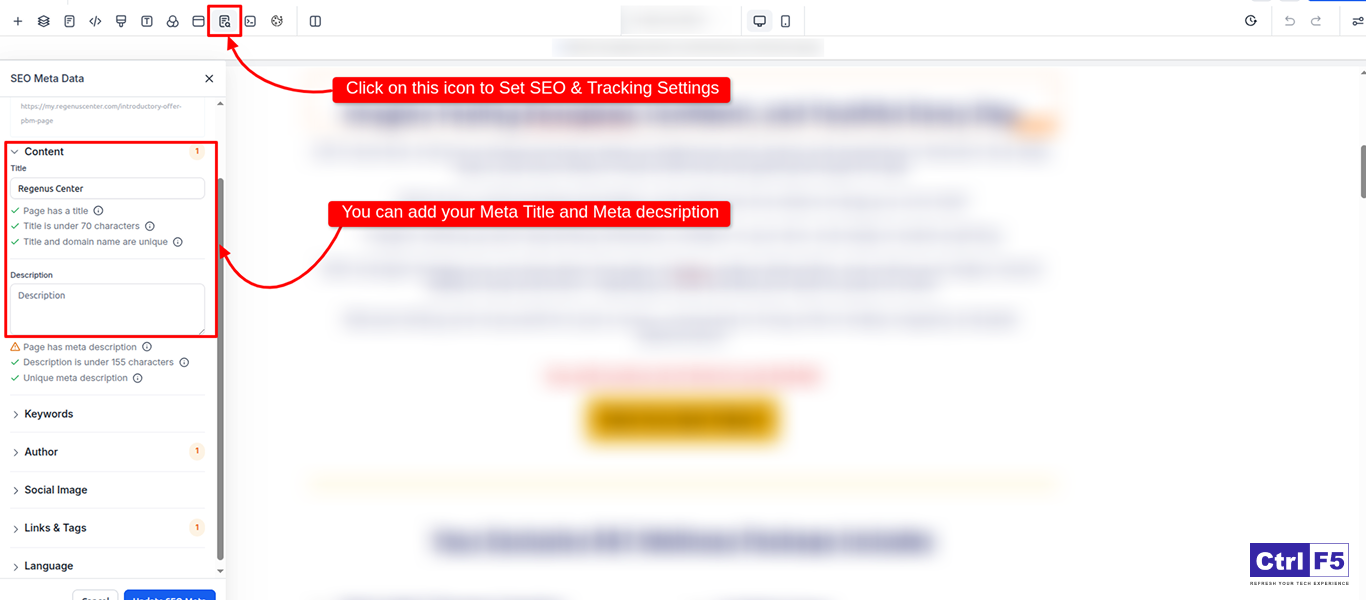
Related Reading: WordPress Hosting Tips When Using GoHighLevel for Marketing Automation
Toggle to mobile view and adjust spacing, fonts, and layout for mobile users.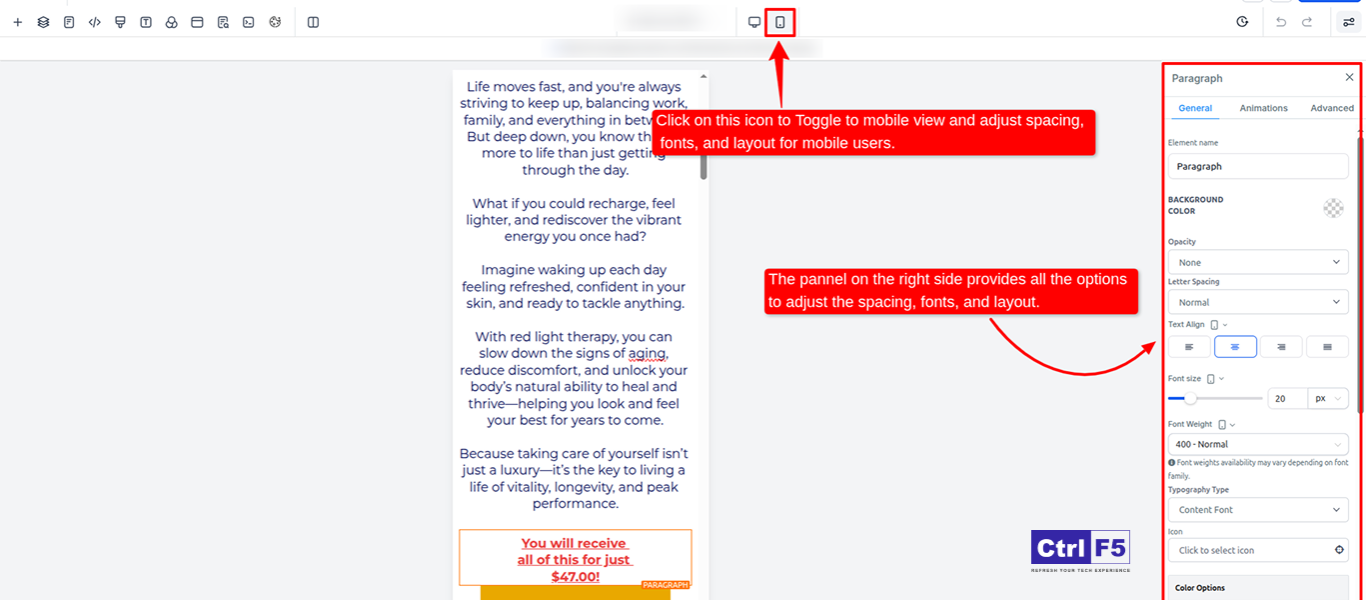
Click Save and Publish. Visit the live URL to test functionality. Fill out forms, check button actions, and ensure responsiveness.
Bonus Tips for Higher Conversions
You can explore more GHL tutorials and insights on our blog
Using GoHighLevel, we developed a website that makes online education simple and accessible.
You can take a look at how we approached the project from start to finish. Explore the case study
Creating a landing page in Go High Level is not only simple, it’s strategically smart. With its drag-and-drop builder, built-in analytics, and smooth CRM and automation integration, GoHighLevel helps you to launch pages that convert visitors into leads effortlessly.
But building a landing page that truly performs takes more than just a builder.
At ControlF5, we help businesses, agencies, coaches, and service providers design high-impact landing pages that are optimized for conversions and built for automation. From layout and copy to funnel integration and performance tracking, we handle it all, based on your goals.
Start building your high-converting GHL landing page with ControlF5 today!



The Indian saree, a six-yard masterpiece of timeless elegance, has been cherished for over 5,000 years. What began as a simple drape has evolved into a global fashion statement that blends heritage, craftsmanship, and modern style.
GoHighLevel is an all-in-one marketing automation and CRM platform designed to simplify the complex tech stacks used by agencies, freelancers, and businesses.
Hi, I am Anurag Pandey, and I work closely with businesses and agencies to build powerful automation and lead generation systems using GoHighLevel.