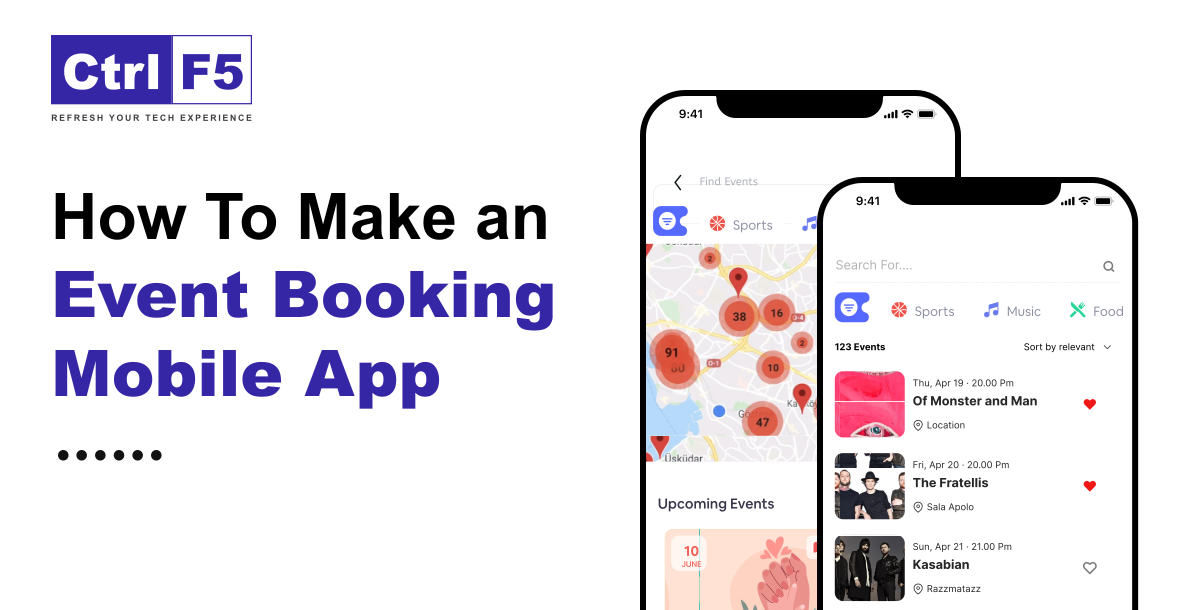

The changing lifestyles of people all around the world, as well as their hectic schedules, need the development of Local events booking applications, which demand all solutions to be premade and simple. People enjoy attending numerous events and gatherings but do not have time to travel to the location and obtain tickets or passes. Furthermore, even if people are aware and can obtain tickets online, it is difficult for one or two events. Most people are still uneducated.
An event ticket booking mobile app replaces the time-consuming method of purchasing tickets in person or online. With the help of this type of mobile application, one may easily create an account and like and save the dates of events of interest. They can look for the dates and types of seats available at a show, club, or event. The event booking mobile app offers a seamless booking experience and walks users through the entire booking process with simplicity. Reservations can be made remotely through the mobile app, increasing the revenue for these applications.
If you’re unfamiliar with a city, an event mobile app ticket booking platform will assist you in identifying locations of interest. Halloween Day, for example, is one of the USA’s national festivals, with haunted houses and corn mazes built up in towns, cities, and other areas around the country. The event booking software allows users to read and know everything about the necessary information about when, where the event is taking place what is the ticket prices, and so on.
Event booking apps have shown to be useful tools for improving the experience, engaging the audience, and optimizing event resources. Companies are now investing in event booking app development, which allows event organizers to connect with their target audience. According to Statista, the event booking app market is expected to expand by 11.6 billion USD. There is enormous potential for event booking apps to flourish in the future years.
In this post, we will discuss the market in depth, specifically in terms of technicalities the cost of developing event management, and some of its bonus tips.
Now that we’re clear with the basics, let’s go down to mobile event app development.
Firstly, look over the market trends, when you are thinking of starting the real development procedure, consider your idea’s competitiveness and potential. During your study, you may discover that this niche is already saturated with rivals with perfect solutions.
Consider researching market trends to help you come up with new concepts that can subsequently be turned into amazing mobile app features. Analyzing competition helps you learn how to outperform them. Furthermore, this helps you figure out how to engage your potential users.
The choice of technology has an impact on the overall progress of the event’s mobile app development. Depending on your project, developers will use a variety of mobile app technologies like Flutter and React Native. Having detailed product requirements allows you to determine the right tech stack for your development. So, in this phase, you should create a list of desired features for an event app development, organize your requirements into specifications, and allow analysts and developers to create your desired event mobile app.
UI/UX design is a key aspect of making your platform user-friendly and appealing to end consumers. At this stage, designers build wireframes of your future platform with the help of Figma mobile app UI desgin to see how the features will be laid out and overall sketches. Use a visually appealing color scheme, fonts, and imagery that align with the event’s theme and branding. Remember that a successful event mobile app is not just about functionality but also about creating a positive and memorable user experience.
The development process begins once all criteria have been stated and all Figma UI prototypes have been finished. They must design a polished platform based on the client’s vision. Clients select short time constraints known as sprints, and engineers report on their progress during each sprint. The client reviews the results and, with the team, discusses progress and determines the next steps.
Then you may launch your digital product, get vital input from early customers, and enhance your software in response to their reactions. To put things right, it would be ideal if you could work with a competent event app development firm to guide the project from start to finish.
The use of meeting planning online solutions entails exchanging large amounts of sensitive information. To avoid any data leaks, prioritize data security during conference app development. Mistakes in this area might result in criminal charges or fines. You can also Hire mobile app developer team to help you address these difficulties ahead of time.
Quality assurance engineers test software solutions for bugs, vulnerabilities, and system issues, which are then reported to the event app development team. It is an important stage in the software development process since it ensures that there are no malfunctions or data leaks that could deter users.
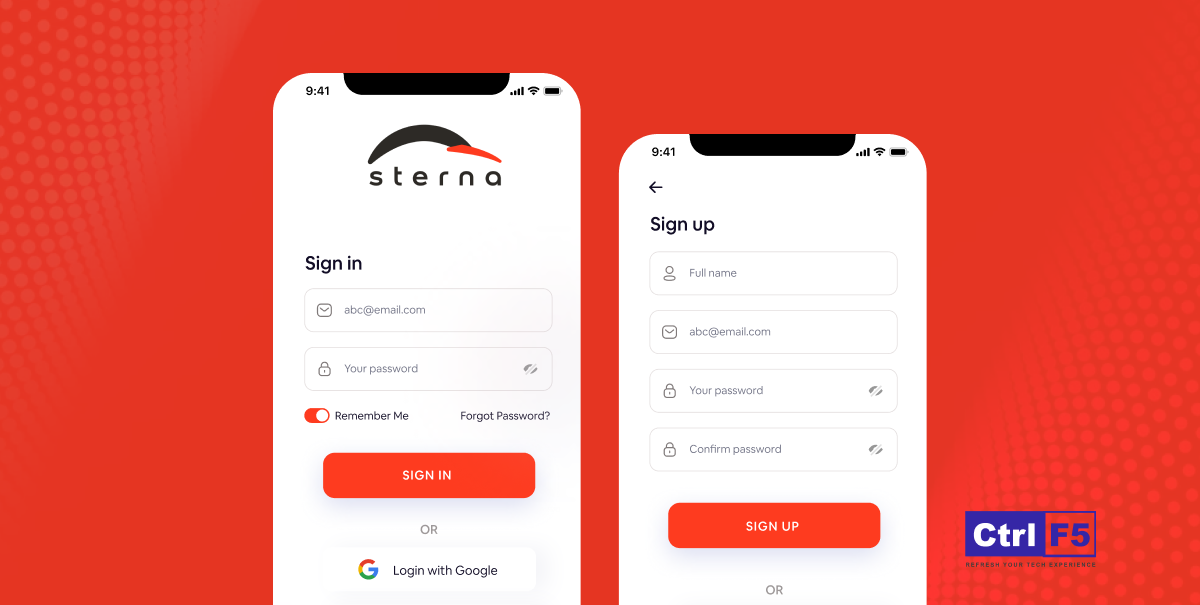
1. Social Sign Up-Login
This app, like all others, will prompt the user to enter their information and create an account before proceeding with any transactions. The user can either fill out the form and join himself, or sign up using one of his social network accounts, such as Facebook or Google, for a speedier sign-up procedure. He can also sign up using an email or phone number verification code.
2. Booking Engines
This allows consumers to book their preferred seats directly through the app. The seating arrangement during an event is shown on their screen, with seats marked for different prices.
3. Event Feeds
Users receive information on all events taking place near them. These feeds are very regular on their mobile devices because the apps save their preferences for future use.
4. Booking Confirmation Screen
This is a summary of the user’s order, which includes the name and date of the performance, ticket price, image, venue details, seat number, confirmation email address, and phone number. The booking page is shown to the user on his phone before proceeding to the final payment process.
5. Push Notification
This one is for the administrator, who can notify users about new shows, timings, and details by sending push notifications to their mobile devices.
6. Geo-Location Tracking:
The administrator needs to know where their user is located so that they can send them suggestions for events in their area. This piques the users’ curiosity when they learn about events happening nearby.
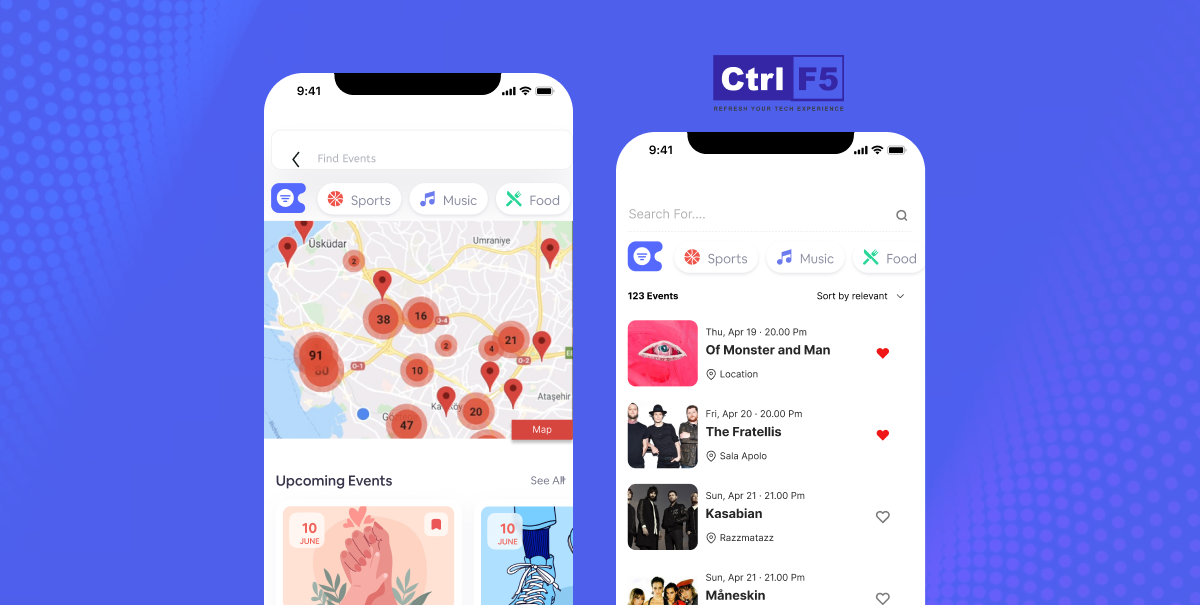
7. Events on Map event booking location
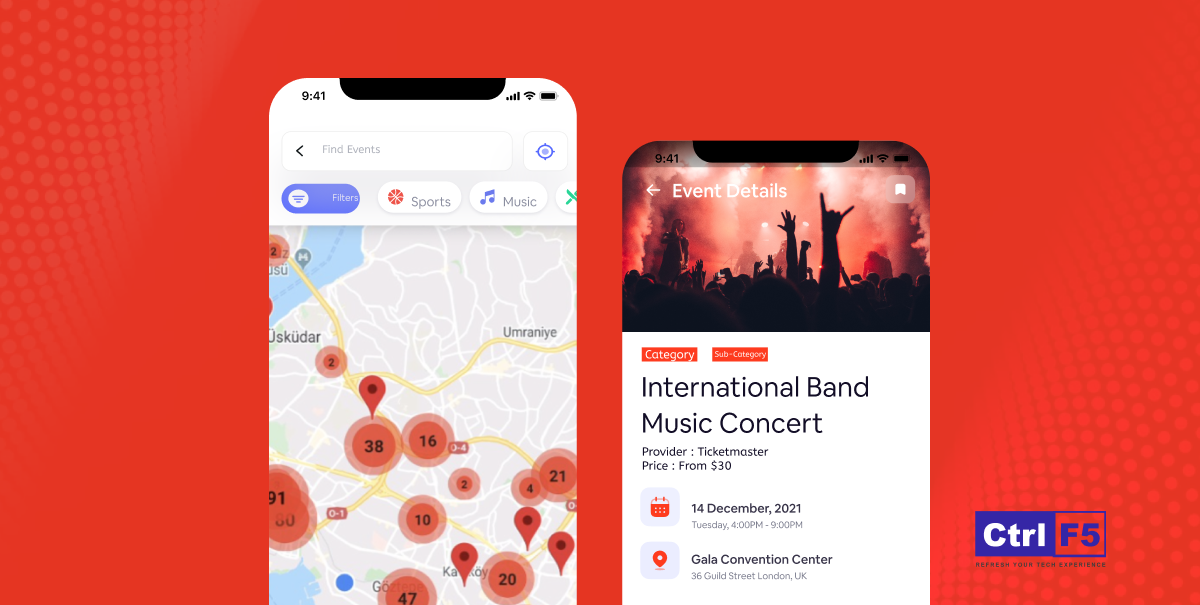
This one allows the user to navigate using the markup of all events on the map. This display is appropriate for folks who have a keen interest in events and prefer to remain current on everything that’s occurring near them.
8. Real-time Analytics
Real-time analytics empower event organizers to track ticket sales, attendee demographics, and revenue streams instantly. With live data insights, event ticket booking mobile apps can optimize marketing strategies and pricing structures in real time for maximum profitability.
This feature allows the mobile app to better understand its customers and the times that work best for them.
9. Role-Based Dashboards
Admins can view the app’s actions through their dashboard. The dashboard displays real-time information on downloads, event ticket bookings, and the number of app users.
10. Customer Relationship Management System
Customer relationship management is one of the most beneficial components of any application. It allows clients to contact the app’s support team, who may listen and respond to their questions at any time.
Businesses that operate on mobile platforms can now personalize their marketing campaigns thanks to artificial intelligence.
Let’s look at a few use cases of AI in online booking mobile apps.
1. Facial Recognition For Check-In
Facial recognition technology has evolved dramatically during the last ten years.
As AI is revolutionizing the whole eCommerce business with its powerful capabilities, event mobile app organizers can allow guests to check in using only their looks. It will instantly match the person’s face to their ticket and provide any extra information they may need. As a result, there will be no more misplaced tickets or other issues at check-in.
2. AI Matchmaking
Providing event attendees with personalization and suggestions is one of the most acceptable uses of AI. Before attending a trade exhibition, for example, attendees should fill out a survey about their interests. Then, AI will pair them with booths and businesses that best match their profile.
3. Improved Communication
Although the technology is still in its early stages, artificial intelligence has shown to be a great assistance in the translation sector. AI has improved translation systems’ efficiency and precision, eliminating strong language barriers at events.
Chatgpt custom chatbots are another example of how AI is allowing improved user communication. Users at virtual or physical events can immediately ask a chatbot chatbot questions through a seamless interface.
4. Utilizes Power Of Data
AI in events collects, organizes, and analyzes user data. Collecting data can help people improve future events and involvement.
For example, you may use AI and BI (Business Intelligence) technology to determine the proportion. Sign-ups, for example, the length of time an individual spends at specific sessions, their conversation engagement, and other suitable data. These could provide valuable information to assist improve future incidents.
To control the whole budget, an entrepreneur must first determine the total cost of mobile app development. When calculating app costs, consider app platforms, their complexity, bespoke and advanced features, development time, the chosen company’s location and experience, and other factors.
Given all of these criteria, the anticipated event ticket booking mobile app development cost would be between $4,000 and $40,000, including key functionality. It is only an estimate because it may vary depending on the reasons listed. If you want a mobile app with extensive features that are compatible with both Android and iOS platforms, it will cost you more.
Not only are fundamental and advanced features and functionality required, but other factors are also important when developing effective software. Here, we discuss the required team members and technology integration for the event ticket booking app solution:
Team structure
To construct a mobile app solution, you must have devoted and skilled team members who can turn your ideas into reality. Who are the members? And the most needed ones:
What are those technologies & tools that will help your event booking application cope with the modern world? Check out below:
Content Delivery Network: Cloudflare / Amazon CloudFront
Hosting: Amazon EC2
Database Systems – MongoDB, Postgres
Cloud Environment – Google,AWS, Azure
Push Notifications – Push.io, Twilio, Firebase
Email – Mail Chimp Integration
SMS, Voice, and Phone Verification –Twilio, Nexmo
Map Navigation – Google Map
Payment Services – PayPal, Net banking, eWallets
Real-time Analytics –Spark, IBM
UI– BootStrapJS, ReactJS
AI Tools: Chatgpt, Gemini ai, TensorFlow
It is key to note that mobile apps enable businesses to do everything on apps and online perform significantly better and provide value to their operations. Similarly, event ticket booking applications improve the user experience by providing a platform for simple booking and transparent transactions.
Event preparation is no longer a challenge. All thanks to ControlF5 which offers event booking app development, which will help you to establish your business in this growing market. Start a venture, invest in the development of event booking software, and let event managers and users have a great time planning and attending events.
Contact us now and we may take your event mobile app development to the next level by assembling a professional team of developers, designers, testers, and marketers.



The Indian saree, a six-yard masterpiece of timeless elegance, has been cherished for over 5,000 years. What began as a simple drape has evolved into a global fashion statement that blends heritage, craftsmanship, and modern style.
On 23rd August 2025, I attended the AI Masterclass 2025 by AI-BootStrapper at Nexus Spaces, Indore, and honestly, it turned out to be one of the most practical AI events I have ever been part of.
Publishing a blog post is no longer the finish line; it’s just the start of your content journey. In 2026, a single blog should fuel your social media, email campaigns, content calendars, and even ad strategy.