



As the founder of a WordPress development agency, I work with WordPress every day, building, optimizing, and supporting websites for clients across different industries.
When a new core update arrives, I don’t just read the release notes; I look at how it actually affects real websites.
That’s why the WordPress 6.9 release stands out. Instead of flashy changes, the WordPress 6.9 update focuses on the fundamentals, speed, stability, accessibility, and smoother content creation.
In this guide, I will break down what’s new in WordPress 6.9 in a simple, practical way. We’ll look at WordPress 6.9 performance improvements, WordPress 6.9 security updates, important WordPress 6.9 editor changes, and common WordPress 6.9 update issues fix points you should be aware of before upgrading.
The WordPress 6.9 Gene release follows WordPress’s tradition of naming versions after iconic jazz musicians. Named in honor of Gene Harris, a celebrated American jazz pianist, this release reflects rhythm, balance, and refinement.
In the same way, the WordPress 6.9 release focuses on strengthening WordPress’s core rather than introducing disruptive changes.
With the WordPress 6.9 update, many improvements happen quietly in the background, but they deliver meaningful benefits for real websites, especially in terms of performance, security, and usability.
The most impactful WordPress 6.9 features include:
For businesses, publishers, and agencies, what’s new WordPress 6.9 helps reduce maintenance effort while improving productivity and overall website experience.
Performance remains a top priority in the WordPress 6.9 release, and this update delivers noticeable gains across both frontend and backend operations. These WordPress 6.9 performance improvements help websites load faster, handle traffic more efficiently, and scale smoothly as content and users grow.
Although many of these optimizations work quietly in the background, they have a direct impact on SEO, Core Web Vitals, and overall site stability.
With the WordPress 6.9 update, core processes now run more efficiently due to optimized PHP execution paths and improved database queries.
Combined with WordPress 6.9 PHP 8.4 support, WordPress can take better advantage of modern hosting environments while reducing unnecessary processing.
As a result, websites benefit from:
These WordPress 6.9 performance improvements are especially valuable for content-heavy blogs, WooCommerce stores, and high-traffic business websites.
Another major enhancement in the WordPress 6.9 release is smarter handling of JavaScript and CSS assets. Scripts and styles are now loaded more intelligently, reducing render-blocking resources and unnecessary files.
This leads to:
Along with WordPress 6.9’s smarter style loading, websites feel lighter and more responsive across all devices.
The WordPress 6.9 update improves compatibility with popular caching plugins and hosting-level performance optimizations. This allows WordPress sites to better leverage server-side caching, object caching, and CDN integrations.
For growing websites, this means more consistent speed, improved scalability during traffic spikes, and fewer performance-related issues over time.
If you’re actively improving LCP and overall performance, check out 10 tips for website speed optimization.
Security is another major focus of the WordPress 6.9 release. While many WordPress 6.9 security updates work quietly behind the scenes, they play a critical role in protecting websites from common vulnerabilities.
The WordPress 6.9 update improves input validation and authentication flows across the core. These enhancements reduce the risk of:
These built-in WordPress 6.9 security updates help harden websites without requiring additional security plugins.
User session management has been refined in the WordPress 6.9 release, reducing exposure from inactive or compromised sessions. This is particularly important for websites with multiple administrators, editors, or contributors.
Several third-party libraries used in WordPress core have been updated to newer, more secure versions. These WordPress 6.9 security updates reduce reliance on outdated dependencies commonly targeted by attackers.
The block editor continues to mature, and the WordPress 6.9 editor changes focus on usability, collaboration, and smoother content workflows.
With the WordPress 6.9 site editor updates, blocks behave more consistently across desktop, tablet, and mobile screens. Layout shifts are reduced, and designs remain more predictable.
This results in:
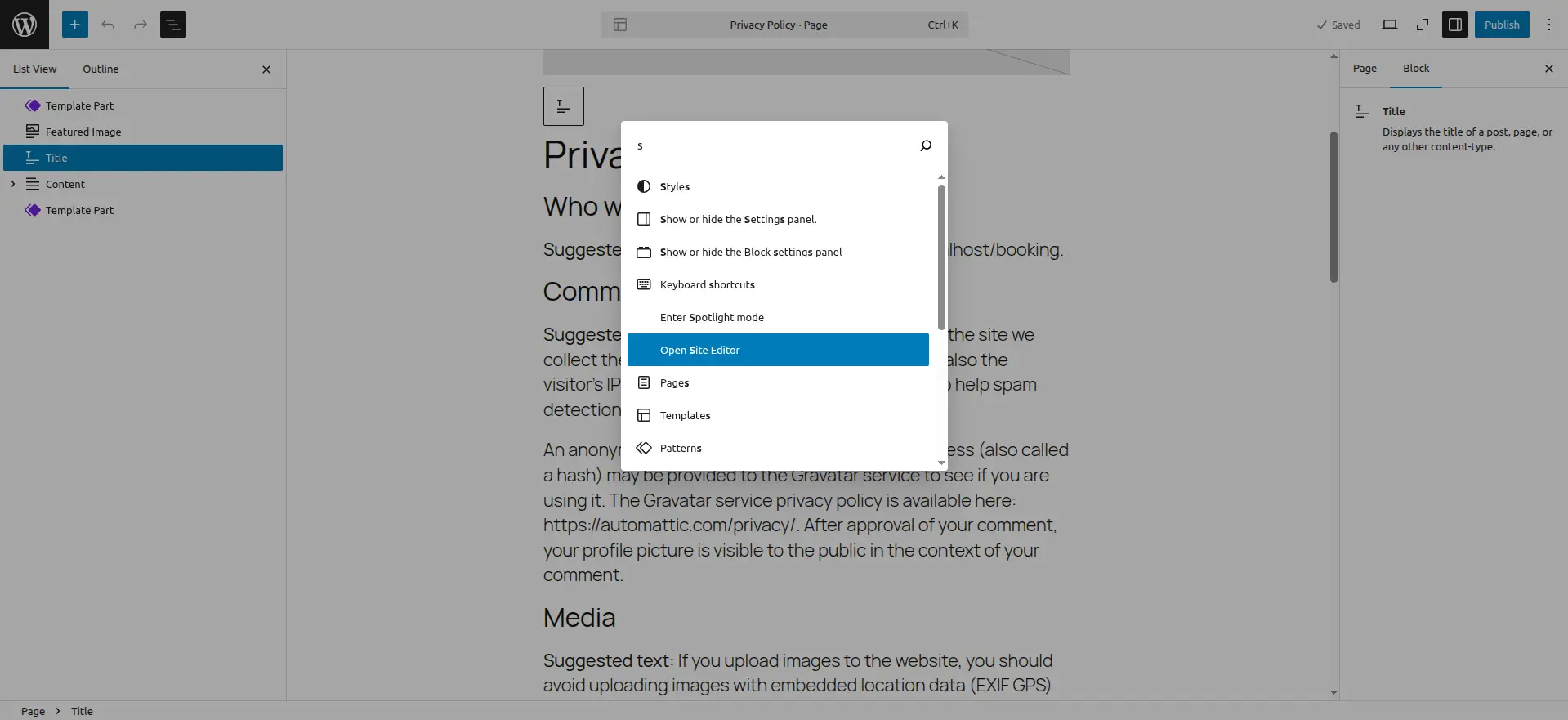
The WordPress 6.9 editor changes refine typography and spacing options, allowing precise control over fonts, line height, and layout, without custom CSS. This helps maintain brand consistency directly inside the editor.
Minor UI refinements make the editor feel lighter and more focused. Contextual controls appear only when needed, reducing visual clutter and improving usability.
Features such as WordPress 6.9 block notes collaboration, WordPress 6.9 hide blocks feature, and the enhanced WordPress 6.9 command palette improve teamwork, navigation, and editing speed.
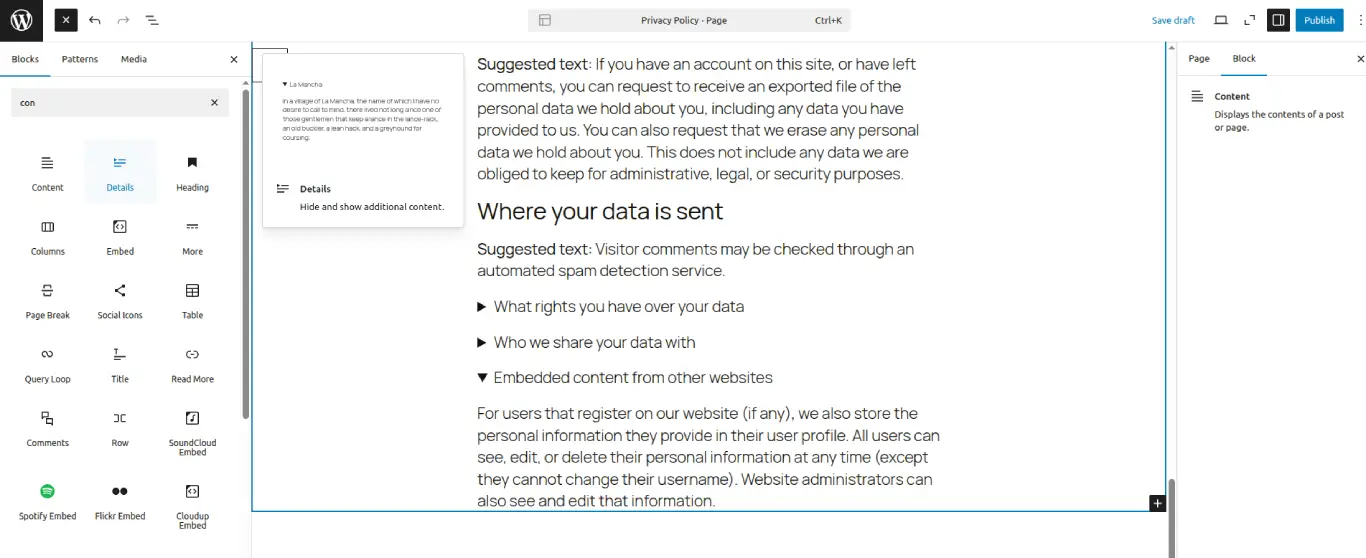
The WordPress 6.9 update introduces several practical, content-focused tools that make publishing more flexible and powerful for editors, marketers, and content teams.
Key additions include:
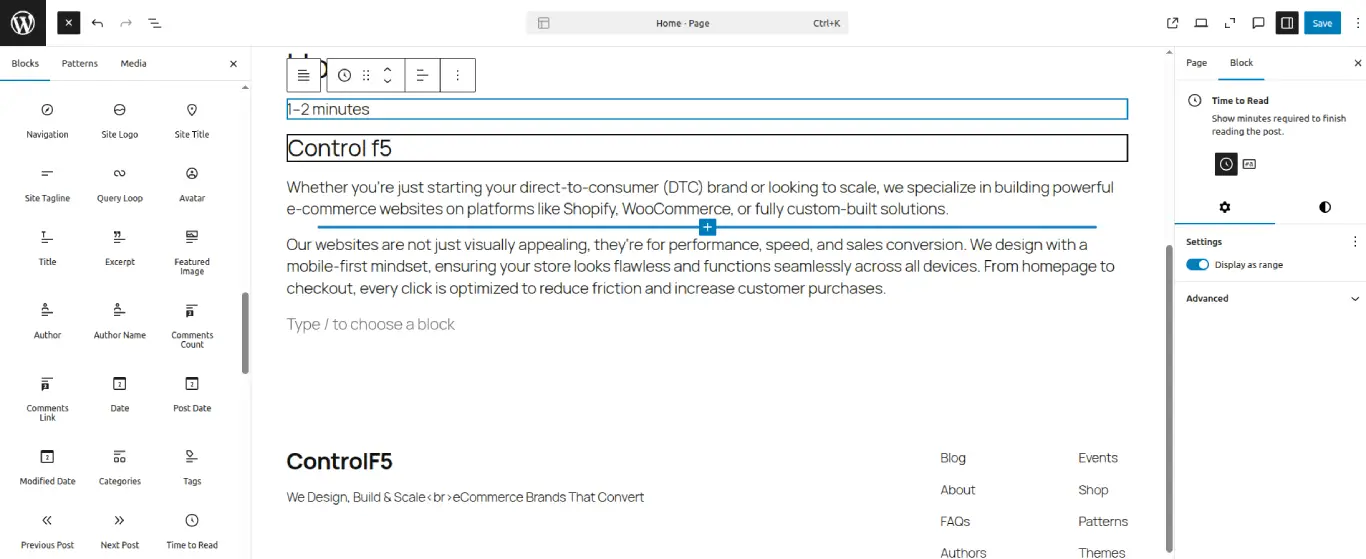
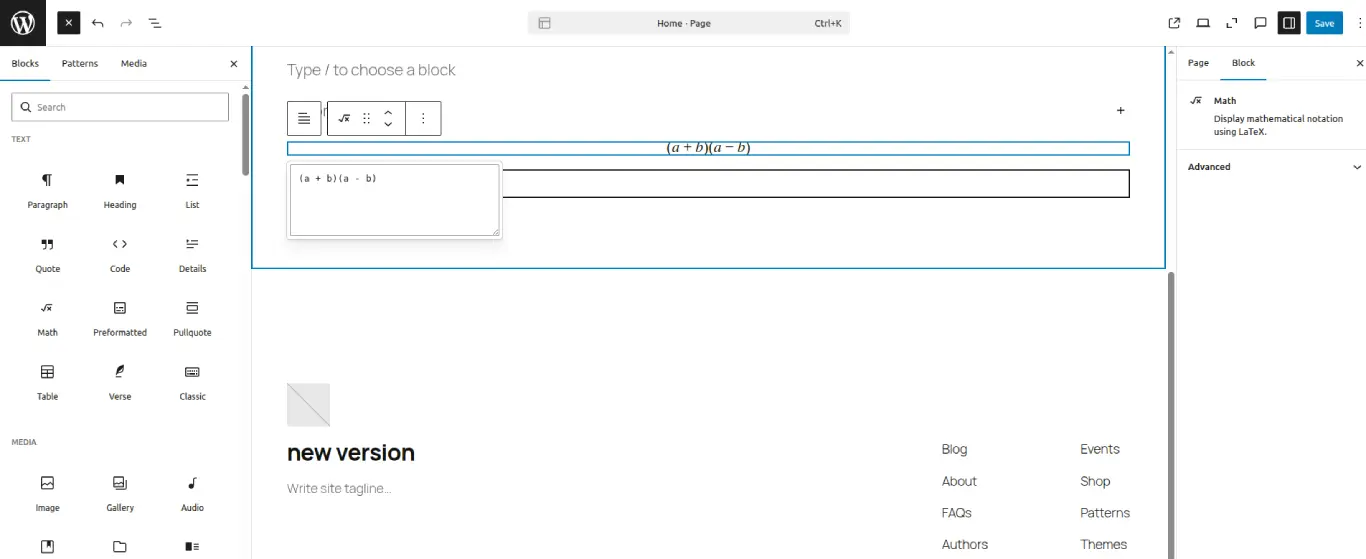
All these WordPress 6.9 features make content creation more structured, readable, and collaborative, while also expanding WordPress’s ability to handle advanced content types like formulas and mathematical expressions.
Beyond content creation, the WordPress 6.9 release includes important updates for developers and advanced site setups.
One of the notable developer-focused additions in the WordPress 6.9 update is the introduction of the Abilities API. This API provides a more flexible and structured way to manage user permissions and capabilities beyond traditional roles.
With the Abilities API, developers can:
This makes the WordPress 6.9 release especially valuable for large websites, SaaS platforms, and custom WordPress applications.
The WordPress 6.9 update expands theme.json configuration options, enabling developers to manage global styles more efficiently. This results in cleaner theme architecture, fewer CSS overrides, and better performance.
WordPress continues to prioritize stability. The WordPress 6.9 release maintains strong backward compatibility, ensuring older themes and plugins continue to function smoothly and reducing upgrade risks.
Several internal APIs have been refined, making it easier to build custom blocks, integrations, and scalable WordPress solutions aligned with modern development standards.
In addition to new features, the WordPress 6.9 update issues fix category includes multiple stability and compatibility improvements. These fixes address edge cases, editor glitches, and minor conflicts reported in earlier versions.
For most websites, the WordPress 6.9 update delivers:
Performance and SEO are closely connected, and the WordPress 6.9 release strengthens this relationship through smarter loading, cleaner output, and better mobile behavior. Many of the WordPress 6.9 performance improvements directly support search visibility by improving how quickly and efficiently pages load for users and search engines alike.
With the WordPress 6.9 update, websites benefit from behind-the-scenes optimizations that improve real-world performance signals used by search engines.
Some of the key SEO advantages introduced with the WordPress 6.9 update include:
In addition, features like WordPress 6.9’s smarter style loading and optimized asset handling reduce layout shifts and rendering delays.
As a result, websites upgrading to the WordPress 6.9 release may see measurable improvements in Core Web Vitals, particularly metrics such as Largest Contentful Paint (LCP) and First Input Delay (FID).
These gains can contribute to stronger SEO performance, better user experience, and higher conversion potential over time.
To further strengthen your SEO efforts alongside WordPress 6.9, explore our curated list of best WordPress SEO plugins in 2026 that are tried, tested, and optimized for modern performance requirements.
Most websites can safely upgrade to the WordPress 6.9 update, but a few precautions help avoid common issues. Following these WordPress 6.9 update issues fix steps ensures a smooth and stable upgrade.
Before you download WordPress 6.9 or download WordPress’ latest updates and apply the WordPress 6.9 release, make sure to:
These steps reduce upgrade risks and help ensure a smooth transition.
As Anurag Pandey, Founder & CEO of ControlF5 (top rated plus agency on upwork), I work with WordPress website every day for client projects. The WordPress 6.9 release stands out because it focuses on the fundamentals that matter most: performance, stability, and a smoother editor experience, rather than flashy changes.
From my experience, the WordPress 6.9 update is a well-balanced and mature release. It improves site speed, supports better SEO and Core Web Vitals, and makes content workflows easier for teams.
For businesses planning long-term growth on WordPress, this update is definitely worth adopting with proper testing.
The WordPress 6.9 release reinforces why WordPress remains a powerful platform for businesses focused on performance, scalability, and content flexibility. With improvements across speed, security, SEO, Gutenberg blocks, and editor workflows, this update is built for long-term growth, not short-term trends.
To fully use WordPress 6.9 features, especially advanced Gutenberg blocks and WooCommerce functionality, upgrading with the right expertise matters.
From custom block development to store optimization and ongoing performance tuning, working with experienced professionals ensures everything runs smoothly.
If you’re looking to hire WordPress developer experts, need WordPress Gutenberg experts, or want a reliable WordPress maintenance and care plan to keep your site secure, fast, and up to date, our team at ControlF5 can help.
Book a free consultation to discuss your WordPress upgrade, Gutenberg customization, WooCommerce enhancements, or ongoing maintenance needs.



The Shopify Black Friday Cyber Monday Playbook 2025 is your go-to resource for preparing, promoting, and profiting during the most competitive eCommerce season of the year.

Running a WordPress website in 2026 without the right SEO plugin is like driving a car without a GPS; you might move forward, but you’ll probably miss the best route to your destination.
I have worked on hundreds of Elementor websites, and I know the pain of watching a beautiful design load slowly.